





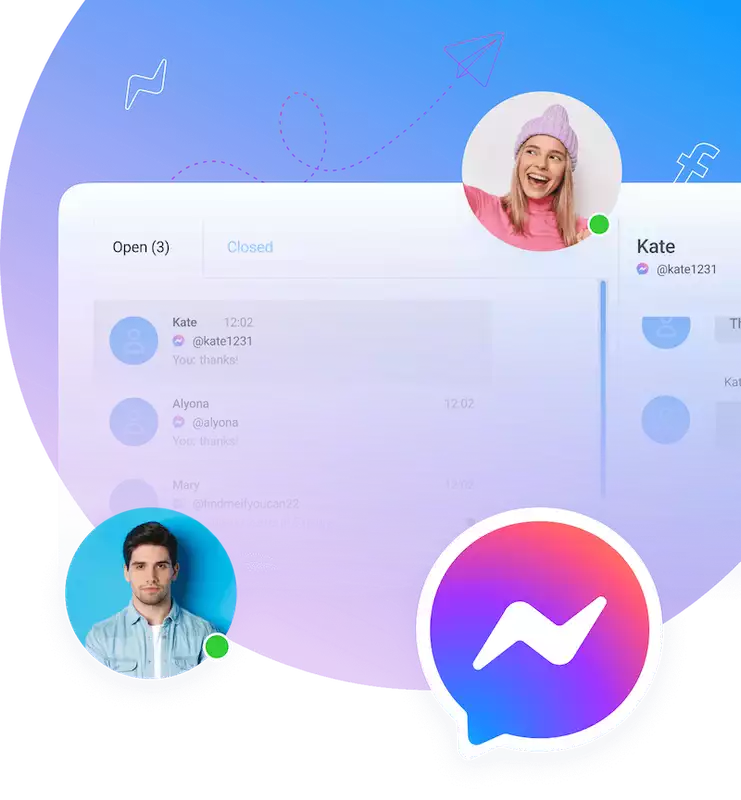

Businesses no longer just wait for phone calls or emails. They now connect with customers instantly on messaging apps. This guide explores the new world of Facebook Messenger CRM.
Introduction
The way we manage customer relationships has grown. Let's look at how this change happened. We will also define what this new approach really means.
The Evolution of CRM: From Traditional to Conversational
Traditional CRM systems have limits. They are often slow in today's fast-paced digital world. Customers expect instant answers, not support tickets. Messaging apps like Facebook Messenger are now the main way many people chat. This big shift created a need for a new kind of CRM. This new CRM is instant and personal. Businesses had to adapt or get left behind.
What is Facebook Messenger CRM?
A Messenger CRM connects your customer management to Facebook Messenger. It is not just a simple inbox. Its main purpose is to manage everything in one chat-based place. You can handle customer chats, track sales, and give support inside Messenger. It turns simple chats into a powerful business tool.
Why Facebook Messenger CRM is a Game-Changer for Businesses
This tool offers huge benefits for any business. You get much better customer chats. This is because you are on the platform they already use. Communication becomes simple and easy. You can also offer real personalization to many people. This guide will cover the main parts of Messenger CRM. We will show its benefits and how you can use it.
Understanding the Core Parts of Facebook Messenger CRM
A good Messenger CRM has several key parts. Let's review the main features. We will also look at the technology that makes them work.
Key Features and How They Work
Contact management is a basic feature. The system organizes customer profiles and their chat history. Automated messaging is also very important. This includes welcome messages for new contacts. It also includes auto-replies for when you are busy. You can also create helpful message chains to build trust.
Using chatbots provides instant, 24/7 support. These AI assistants can answer common questions. They can also see if a new lead is a good fit. Grouping customers helps you send the right messages. You can send custom messages based on what they do or like.
Broadcast messaging lets you send targeted updates or promotions. A live agent takeover is a very important feature. This lets a person smoothly take over from a bot for hard problems. Finally, analytics and reporting help you track your results. You can track important numbers. This includes response times, chat rates, and sales.
The Role of the Facebook Messenger Platform (API)
The Messenger API is the engine behind these powerful tools. This API allows for deep CRM connections and complex automation. The basic Messenger inbox on your Facebook Page is simple. An API-driven solution, like those from Botcake, is much more powerful. It unlocks the full power of chat-based sales. It also lets you build custom experiences.
Benefits of Implementing Facebook Messenger CRM
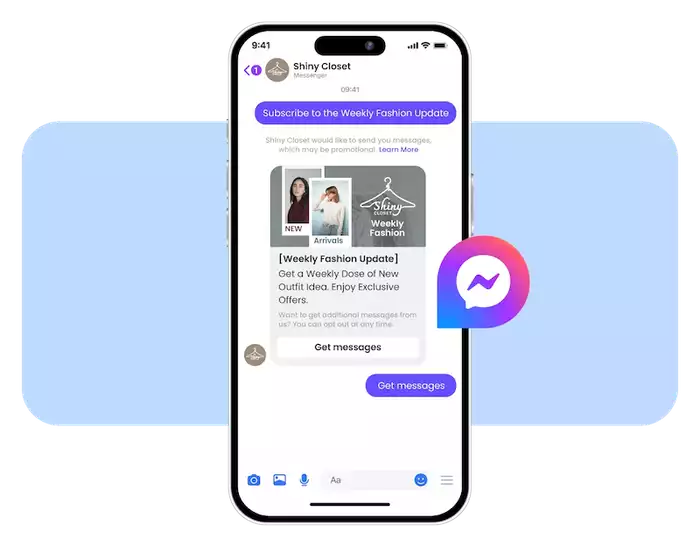
Using a Messenger CRM brings many clear advantages. These benefits improve your sales, marketing, and daily support.
Happier Customers Who Are More Engaged
You can communicate with your customers in real-time. This communication is also personal and direct. Customers get faster answers. Their problems are solved very quickly. This speed builds stronger and more loyal customer relationships. Happy customers are more likely to return.
Simpler Sales and Marketing
You can find new customers directly within Messenger. The system helps you check if they are a good fit. You can then build trust with automated message chains. It also makes direct sales much easier. Customers can ask about products and buy them right in the chat. You can also run targeted ad campaigns that click directly to a Messenger chat.
Plus, you can create a cart directly in the chat, so buyers can add items and check out without leaving Messenger. Customers can even send a photo to search for products, helping them find what they want faster. This optimizes the entire buying journey, customers don’t need to switch apps or do many steps, so businesses can close deals more smoothly.
Better and Faster Operations
Automation handles many repeated tasks. Your team is free to focus on more important work. Messenger becomes a central chat hub for your entire team. This greatly lowers the customer service workload. It allows a small team to support many customers.
Making Smarter Choices with Data
You learn a lot about your customer's habits. You learn their common questions and problems. This data is very valuable. It helps you improve your marketing and sales plans. You can easily spot new trends. You can also find areas for improvement in your business.
How to Set Up Your Messenger CRM
Getting started with Messenger CRM involves a few key steps. You need to choose the right tool for your needs. You also need to set it up correctly.
Choosing the Right Tool
Many Messenger CRM tools are available. Popular options include ManyChat, Chatfuel, and Pancake CRM. You must look closely at their features. Think about these factors when choosing a tool. Can it grow with you? Can it connect to other tools? What is the price?
Setting Up Your Messenger CRM
The first setup step is to connect your Facebook Page to the tool. You might be able to import your current contacts from another system. Then, you begin to set up your automated messages. You will build your chatbots. You will also design the automated flows for different situations.
Connecting to Your Other Systems
Your new Messenger tool should not be a separate island. It is strongest when connected to your other systems. Connect it with your main CRM platform, such as Pancake CRM, HubSpot or Salesforce. You should also connect it to your e-commerce platform. Shopify or WooCommerce connections are very common. This creates one single system for all your customer data.
Best Tips for Setup
Start by organizing your message structure, customer segments, and key service workflows inside your Mess CRM. Set up a few simple flows first, like welcome messages, order confirmations, or post-purchase follow-ups, then expand into more advanced scenarios. Make sure your team knows how to track conversations, apply tags, and take over when human support is needed. Finally, review your reports regularly so you can refine each step and improve response rates and conversions.
Use Cases and Real-Life Examples

Many types of businesses benefit from Messenger CRM. Let's look at a few common examples and one specific case study.
E-commerce Businesses
E-commerce stores use Messenger CRM to understand customers better after they purchase. The system captures key data and behaviors, such as what customers viewed, asked about, or reordered, so brands can build stronger remarketing campaigns. With these insights, businesses can create tailored follow-up messages, nurture long-term relationships, and keep customers engaged beyond the first sale.
Service-Based Businesses
Service businesses use it for booking appointments. The system can automate the booking process. It can also send automated reminders. Chatbots can qualify new leads for talks. They can ask key questions before passing the lead to a salesperson. They can even provide instant quotes for standard services.
A Real-Life Case Study: ZaloPay
ZaloPay, a leading digital wallet in Vietnam, wanted to win back users who had left. They partnered with Botcake to launch targeted message campaigns on Messenger. They sent special deals to these past users. This campaign led to many more daily paying users. The direct chats also helped them understand why users left. This helped them learn how to help more users stay. The campaign was a huge success. It resulted in a 40% lower cost-per-click than other platforms. It also had a 3-times higher click-through rate. Most importantly, ZaloPay saw 110% more returning users each month.
Challenges and Things to Think About
A Messenger CRM is powerful, but you must be aware of some challenges. You need to carefully handle data, privacy, and the human element.
Data Privacy and Rules
You must handle all customer data securely. Privacy laws like GDPR and CCPA are very strict. They control how you collect and use personal information. You must also follow Facebook's messaging rules. Breaking these rules can get your Page blocked.
Do Not Spam Your Customers
Do not spam your customers, it’s the fastest way to lose trust and get blocked. Keep messages respectful, useful, and always let users opt in/out easily.
Use your CRM data to customize content for each customer segment and deliver messages at the right moment. When the timing and content match each customer’s behavior, you stay relevant and avoid spamming their inbox.
Maintaining a Human Touch
Automation is efficient. But it can sometimes feel cold or robotic. You need to balance automation with real, personal chats. Always ensure you have a smooth and easy way for a customer to ask for a live agent. Customers should always feel they can reach a real person.
Technical Issues and API Changes
Platforms are always changing. Facebook updates its API and rules often. A feature that works today might change tomorrow. You need to stay updated with these technical changes. You must be ready to change your plans when these changes happen.
The Future of Facebook Messenger CRM
Chat-based sales are still growing and changing. New trends and technology will make these tools even more powerful.
New Trends and Technology
We will see smarter artificial intelligence in chatbots. This will make bots sound more human. They will understand complex requests. We may also see deeper connections with augmented reality (AR). This could let you 'try on' products. Voice commands will also be more important.
Facebook's Plan for Chat-Based Sales
Messenger is a key part of Meta's big plan. Their vision is to create smooth shopping and chat experiences within their apps. We can expect more features that connect Messenger, Instagram, and WhatsApp. This will create one single platform for businesses to manage all customer chats.
Conclusion
This approach is more than just a simple sale. It builds real relationships with your customers. It makes your team work faster. It also gives you valuable data. Most importantly, it allows you to meet your customers where they already are: on Messenger.
Do not get left behind in this new way of business. Your business has a chance to build better, faster, and more personal customer connections. Tools like Botcake make it easy to get started. Explore a Chatbot AI integrated with a CRM system - Botcake today. Begin changing your customer conversations for the better.