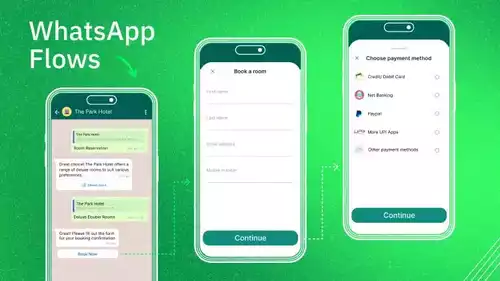






This complete guide explores the WhatsApp Business API. Learn what it is, how to get started, and how to use its powerful features like automation and chatbots to grow your business.
Why Businesses Need the WhatsApp Business API Now More Than Ever
Today, customers want to message a business in the same easy way they message a friend. They want fast answers, and they want the chat to feel personal. The free app cannot provide them with this incredible experience when they have hundreds or thousands of customers. The API offers the special features you need to succeed in the new world of "conversational commerce," where people make purchases through chat. This guide is a simple map. It will help you understand what the WhatsApp Business API is, how to obtain it, and how to utilize it to support your business growth.
Understanding the Core of the WhatsApp Business API
The API is more than just a way to send more messages. It is a full platform with its own features, rules, and prices. Understanding these parts is the first step to using it well.
Key Features and Capabilities
Automated Messaging: The API lets you send two main kinds of messages. First, there are session messages. These are any messages you send as a reply to a customer within 24 hours of them messaging you. During this 24-hour "session," you can have a normal, back-and-forth chat.
Second, there are template messages. These are special messages that you must get approved for by WhatsApp before you can send them. You use these to start a new conversation with a customer, like sending a special offer or a shipping update.
-
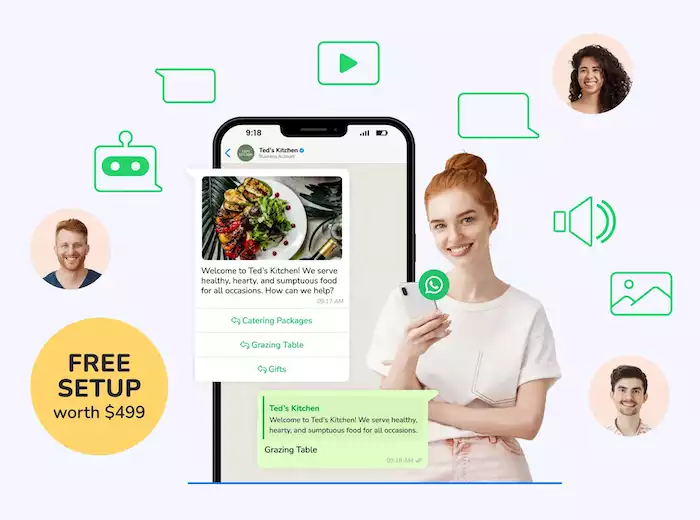
Interactive Messages: This feature makes WhatsApp much stronger than a simple text message. You can send messages with buttons (like "Track My Order" or "Talk to a Person") and lists (like a menu of your services). This makes it very easy for customers to reply with just one tap. This helps you get more replies. You can even send messages that show one product or many products, like a small catalog right inside the chat.
-
Rich Media and Chatbots: Unlike a plain text message, the API lets you send images, videos, product catalogs, and documents. This helps you make the chat more interesting. You can also build smart chatbots. These bots can answer common questions 24 hours a day, 7 days a week. And if a question is too hard for the bot, the chat can be easily passed to a human on your team to continue the conversation.
-
Analytics and Reporting: The API also gives you important data. You can see if your messages were delivered to your customers. You can also see if they were read and how quickly people are replying. This information helps you understand what is working so you can make your messages even better.
Pricing Model: Conversation-Based Billing
The WhatsApp Business API has a simple pricing model. You do not pay for each message you send. Instead, you pay for each conversation. A conversation is a 24-hour chat session.
The price for a conversation is different for each of the four categories. These are utility (like order updates), authentication (like login codes), marketing (like sales), and service (when a customer messages you first). The prices also change depending on the country of the customer you are talking to. To help you start, WhatsApp has replaced its free tier for 1,000 conversations with unlimited free user-initiated service conversations as of November 1, 2024.
Use Cases Across Industries
The API is a very useful tool for almost any kind of business. It can help you talk to your customers in a better way.
-
E-commerce: You can send automatic order updates. You can also send reminders for shopping carts that people left behind. For example, businesses that use this simple trick have saved up to 20% Cost per Purchase. This means they get a lot more sales.
-
Customer Service: You can use chatbots to give instant answers to common questions. This is how the USAC Chiropractic Clinic was able to decrease 41% CPL vs. Ads Optimized for Conversations.
-
Healthcare: You can send private appointment reminders. You can also let patients know when their medicine is ready. This is how Gangwhoo Hospital used the API to get a 10% increase in purchases from patients.
Getting Started: Implementation and Setup
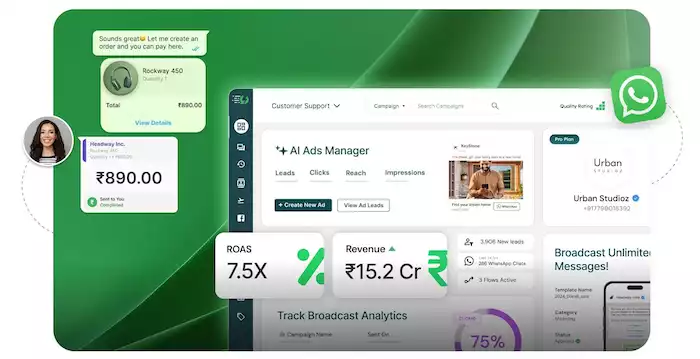
Getting started with the API is a clear process with a few key steps. And for most businesses, it means you have to work with an official partner.
Prerequisites for API Access
Before you can start, you need to have three things ready:
-
A Facebook Business Manager account. This is a central place to manage your business tools on Meta.
-
Your business must be verified. This is to prove to Meta that you are a real and honest company.
-
A phone number that you will use for the API. This number cannot be used with a regular or free Business App account at the same time.
Working with a Business Solution Provider (BSP)
For almost all companies, you cannot connect to the API by yourself. You must work with a special partner called a BSP. A BSP is a company that is an official partner of Meta. They give you the software and the technical help to make the API easy to use.
Choosing the right BSP is the most important choice you will make. You need a partner that gives you a powerful but easy-to-use platform with great customer support. A top partner like Botcake is a great choice because they make the whole process very simple. They give you a shared inbox so your whole team can manage chats. They also give you a powerful chatbot builder and the expert help you need to do well. And because Botcake is an official partner for WhatsApp, Messenger, and Instagram, you can manage all your customer chats from one single place.
Step-by-Step Setup Process
-
Register Your Business: First, you will work with the BSP you chose to send your business information to Meta.
-
Verify Your Account: Your BSP will then help you through the steps to get your business and your phone number approved by WhatsApp.
-
Connect via the BSP: After you are approved, you can log in to your BSP's platform and connect your WhatsApp account.
-
Set Up Message Templates: Finally, you will create your first few message templates. For example, a welcome message or a shipping update. You will send them for approval. Once they are approved, you can start talking to your customers.
Advanced Strategies for Maximizing Your API Investment
Just having the API is not enough. To get the best results, you need to use it in a smart and planned way.
Integrating with Existing Systems
The real power of the API comes alive when you connect it to the other business tools you already use.
-
CRM Integration: When you connect WhatsApp to your sales software (CRM), all your customer data is in one place. This lets your team see every customer's past orders and chats.
-
E-commerce Integration: You can connect the API to your Shopify or WooCommerce store. This lets you send automatic order confirmations and reminders for abandoned carts.
-
Helpdesk Integration: You can also connect the API to your support software. This can automatically turn a WhatsApp chat into a support ticket for your team.
Building Intelligent Chatbots and Personalizing Campaigns
You should use your BSP's tools to build a smart chatbot. This chatbot can answer your most common questions 24/7. This frees up your human team to focus on the harder sales and support problems. The fitness brand Kingsport used the API with an AI sales agent. It gave customers advice 24/7. This smart system was nearly instant, with 15 minutes by human agents, and led to a 13% conversion rate.
Measuring Success and Optimizing Performance
To make sure you are getting your money's worth from the API, you need to track how well you are doing. You should also always look for ways to get better.
Key Performance Indicators (KPIs):
-
Engagement Metrics: You should track your delivery rate (are messages getting to the customer?). You should also track the read rate (are people opening them?) and the response rate (are people replying?).
-
Business Metrics: You should also track your conversion rates from chats (are people buying from the chat?). It is also good to track your customer satisfaction scores and how much each conversation is costing you.
Conclusion
The WhatsApp Business API is no longer a tool just for big companies. It is a necessary tool for any business that wants to grow. It gives you the power to automate, personalize, and scale your customer chats in a way that is impossible with the free app. By choosing the right partner and having a smart strategy, you can turn the world's favorite chat app into your best tool for making sales and keeping customers happy. When you are ready to grow past the limits of the free app, it is time to explore a powerful and easy-to-use solution like Botcake.