





Want to send WhatsApp message without saving number, but not sure how? This guide provides practical, official, and safe methods for instant messaging anyone, making it ideal for both personal use and professional communication.
Introduction
Tired of filling your phone with one-time numbers from delivery drivers, customers, or online sellers? You’re not the only one! Many WhatsApp users want to stay responsive without crowding their contact list. Learning how to send WhatsApp messages without saving number helps you stay private, work faster, and keep things organized. In this guide, you’ll explore simple official and third-party methods, Android and iOS options, plus best practices to message anyone instantly with no contact saving needed.
Method 1: Using WhatsApp’s Click to Chat Feature (Official Method)
Before diving into the steps, let’s explore how WhatsApp’s Click to Chat feature works and why it’s a powerful, time-saving tool for you.
Understanding Click to Chat
WhatsApp’s Click to Chat is an easy, official way to message someone without saving their number. It works through a simple link that opens a chat directly in WhatsApp. For businesses, it’s a great tool - customers can reach you instantly through links on your website, social pages, or ads. You can even add them to emails or business cards for quick communication.
Step-by-Step Guide
Open your browser and type this format: https://wa.me/phonenumber. Replace phonenumber with the full number, including the country code (without “+” or “0”).
Example: https://wa.me/84912345678 opens a chat with that number.
You can also add a short pre-filled message, like:
https://wa.me/84912345678?text=I%20am%20interested%20in%20your%20product, helping customers start conversations instantly and keeping your responses consistent.
Advantages
Click to Chat is an official and free feature that works on both phones and computers. It lets people message you with just one tap, so there’s no need to save your number. It’s quick, easy, and helps both sides save time.
Limitations
You need to make each link by hand unless you use an automation tool. It also doesn’t let you organize or label chats, which can be hard for busy teams. However, tools like Botcake.io can help create links automatically and keep your chats well-managed.
Method 2: Third-Party Websites and Tools
These tools simplify creating and managing WhatsApp links, helping businesses save time and improve communication efficiency.
Overview
If you’d rather skip the hassle of creating links manually, third-party tools make it easy to generate WhatsApp Click-to-Chat links in seconds. They’re especially handy for businesses running multiple campaigns or adding QR codes to boost offline engagement.
How They Work
These tools usually offer a simple form where you just type in a phone number and, if you want, a short message. They instantly create a ready-to-use WhatsApp link without tech skills. It’s perfect for adding to ads, product pages, or social media posts to start conversations right away.
Popular Examples
Some popular options are wa.link and WATI, which also come with handy extras like analytics and QR code creation. For instance, a café could print a QR code on its menu so customers can simply scan it to message for orders or reservations. However, always make sure to use official or verified WhatsApp partner tools like Botcake.io to avoid security risks and protect customer data.
Advantages
These platforms save time and make customer interactions smoother - great for small businesses, marketing teams, or customer support. Many also provide dashboards that show link activity, helping you understand how people engage with your brand.
Considerations
Because these are third-party tools, always check their privacy policies before using them. Some may store data or show ads. If your business handles sensitive information, it’s safer to use trusted solutions like Botcake.io, which integrates securely with WhatsApp Business. Botcake not only allows you to send and receive messages instantly but also supports automated replies, broadcast campaigns, team inbox management, and real-time customer tracking, helping businesses manage conversations efficiently and build stronger relationships.
Method 3: Using Android Shortcuts/Apps (For Android Users)
Android users have several quick ways to message unsaved numbers - using shortcuts, simple apps, or automation tools for daily efficiency.
Overview of Android Shortcuts
For Android users, shortcuts and dedicated apps make chatting with unsaved numbers faster. These tools let you open WhatsApp conversations directly from your home screen or notification panel - perfect for businesses that often message new customers like delivery drivers, eCommerce sellers, or service providers.
Specific App Examples
Tools like Click to Chat or Easy Message let you type a number, write your message, and jump straight into WhatsApp. You can even create quick-access shortcuts like “New Order” or “Delivery Update.” It’s a handy way for businesses to stay organized without saving endless temporary contacts.
Advantages
These shortcuts are a huge help for busy teams that send messages all day. With just one tap, you can reply to inquiries, reach new leads, or confirm deliveries. They’re ideal for sales or support staff and are usually free or inexpensive - plus, they work offline once set up.
Limitations
Since these tools only work on Android, iPhone users will need other methods. Some apps might ask for unnecessary permissions, so always download from trusted sources like Google Play. For larger teams, advanced tools like Botcake offer safer, scalable options with team access and chat tracking.
Method 4: Through Share Sheet (For iOS Users with Specific Apps)
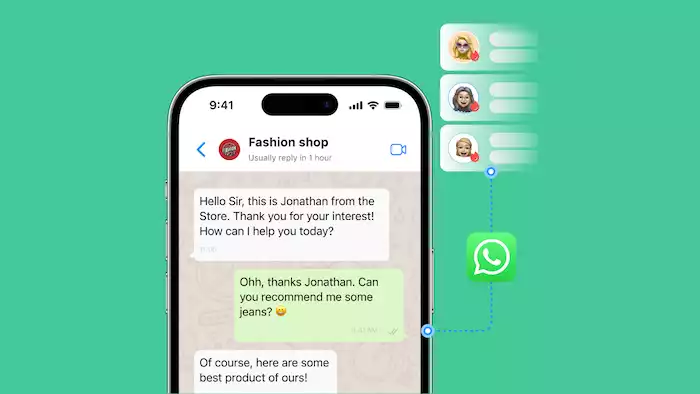
Let’s take a closer look at how this iOS method works in practice, which apps support it, and what benefits or limitations it may bring for your business.
Overview of iOS Share Sheet Integration
You can message someone on WhatsApp without saving their number by using the iOS Share Sheet. Some apps connect directly to WhatsApp, so you just paste the number and start chatting. It feels like a built-in feature of iOS and helps businesses reply quickly without crowding their contact list.
Example Apps
Apps like WhatsDirect or Apple’s Shortcuts make this even simpler - just type the phone number, and WhatsApp opens right away through the Share Sheet. For businesses, this saves time when contacting numbers from emails, forms, or reports, keeping things neat and organized.
Advantages
This method works well on iPhones, allowing faster replies and easier communication. It’s great for teams that handle many chats each day, helping them stay efficient and professional.
Limitations
You’ll need to install a third-party app because iOS doesn’t have this feature built in. Since it only works on iPhones, businesses using different devices may prefer cross-platform tools like WhatsApp’s Click to Chat or Botcake’s automation tools.
Why These Methods Are Useful for Different Scenarios
These methods offer flexibility for quick chats, privacy, organized contacts, and smoother business communication.
Quick, One-Off Messages
Sometimes you just need to send a quick message to confirm a delivery, answer a question, or contact a supplier. You can do that right away without saving the number or cluttering your contacts with these methods.
Maintaining Privacy
Yes, privacy matters to every business. Sending WhatsApp messages without saving numbers helps protect your personal contacts and keeps work and personal chats separate. This is especially helpful when using your own phone for customer communication.
Decluttering Contacts
It’s a little messy if you save too many one-time numbers. With these methods, you can stay organized and still talk to customers easily. This is great for businesses that handle lots of messages every day, like eCommerce, delivery, or service teams.
Business Interactions
For companies that get many customer inquiries daily, these tools make chatting faster and easier. Sales or support teams can reply right away without saving numbers. And with automation tools like Botcake, businesses can manage large message volumes smoothly and keep responses quick and consistent.
Important Considerations and Best Practices

Keep these key points in mind to ensure safe and effective communication.
Country Codes
Always include the correct country code when contacting someone - for example, “84” for Vietnam or “1” for the U.S. Missing or incorrect codes will block delivery. Global businesses should standardize phone number formats in their CRM systems.
Security and Privacy
Use only official or trusted third-party tools for customer messaging. Avoid unverified apps that may store data. Never share sensitive details with unknown contacts. Train staff to verify customers and follow secure communication practices.
WhatsApp’s Terms of Service
These methods comply with WhatsApp’s policies when used properly. The Click to Chat feature and verified integrations are safe, but avoid bulk or spam-like messaging to prevent violations. Always ensure your business use aligns with WhatsApp’s rules.
When to Save a Number
While messaging unsaved numbers is quick and convenient, it’s still worth saving contacts like repeat customers, partners, or suppliers. Doing so helps you track conversations and build stronger relationships. With tools like Botcake, you can automate first-time replies, then easily add verified or returning customers to your CRM for future follow-ups.
Conclusion
There are several easy ways to send WhatsApp messages without saving a number, from WhatsApp’s official Click to Chat feature to third-party tools and mobile shortcuts. No matter if you use Android or iOS, each option can fit different needs.
These tools help you stay organized, protect your privacy, and save time. For businesses, they make it easier to chat with new customers while keeping things professional. So, if you want smoother communication, try these simple methods today - and explore tools like Botcake to make your WhatsApp Business faster, smarter, and more efficient.