






Managing Facebook ads can be challenging, especially with constant changes in Meta’s algorithm. This guide will help you understand how to plan, monitor, and improve your campaigns to get better results and maximize every dollar spent.
Introduction
Managing Facebook ads takes a mix of planning and smart decisions. In this guide, you’ll learn how to build, monitor, and improve your campaigns to get real, measurable results.
The Power of Facebook Advertising
With millions of users worldwide, Facebook gives businesses a great way to reach the right people. You can target them by age, location, interests, or behaviors - even find new customers who are similar to your best ones.
But even with such a wide reach, ads can waste money if they aren’t managed well. That’s why proper management is so important - it helps you spend smarter, get more clicks, and turn those clicks into real conversions instead of just views. Botcake helps your business scale faster with Facebook and Instagram chat.
Why Effective Management Matters
Running ads costs money whether they work or not. By keeping an eye on your campaigns and adjusting them regularly, you can stop wasting budget on poor performers.
Good management helps you boost results - like getting more clicks (CTR), lowering the cost per click (CPC), and improving your overall return on ad spend (ROAS). Since Facebook’s algorithm often changes, staying updated lets you adjust your strategy quickly and keep your campaigns performing well.
What This Guide Will Cover
In this guide, you’ll find a clear, step-by-step process from setting goals and building campaigns to tracking, optimizing, and scaling them. You’ll also learn how to fix common problems and make sure your Facebook ads keep delivering great results.
Setting the Foundation: Before You Launch

Strong ad performance begins with clear goals, thoughtful campaign setup, and the right tools to support every stage of management.
Defining Your Goals and Audience
Start with SMART goals: e.g., “Increase ecommerce conversions by 20 % in 90 days via Facebook ads.” This gives clarity and measurement.
Use insights to build a strong audience profile: age, gender, location, interests. Leverage custom audiences (e.g., past customers) and lookalike audiences (users resembling your best customers). The lookalike concept is especially powerful for scaling.
Campaign Structure and Budgeting
Choose an objective that aligns with your goal: awareness if you’re building a brand; consideration if you’re driving interest, conversion if you are seeking sales or leads.
Within a campaign, ad sets allow you to define specific audiences, budgets, placements (Facebook feed, Instagram, Messenger), and schedules. Optimize each ad set to meet the campaign objective.
Your ad creative must speak clearly to your target audience: strong visuals, concise copy, and compelling call-to-action (CTA). Remember best practices: use vertical or square formats for mobile, keep text minimal.
Essential Facebook Ad Tools
This is the primary tool for creating, managing, and analyzing your campaigns. Set up the Conversions API (CAPI) first, as it provides more accurate and reliable tracking. Then install the Facebook Pixel on your website to strengthen your data and support advanced optimization. Meta Business Suite lets you manage assets, permissions, and ad accounts easily, ensuring a clean and organized setup, especially helpful when working with multiple team members or clients.
If you need a third-party tool to connect CAPI, Pancake is a great option. Pancake is a strategic partner of Meta and offers seamless integrations to help businesses optimize their performance on Facebook and Instagram. Its Pancake POS system automatically connects to Meta’s CAPI, allowing purchase events from chat conversations to sync directly into Ads Manager. This helps improve tracking accuracy and boosts your ad campaign performance.
Meta Business Suite also helps you manage assets, permissions, and ad accounts smoothly - especially useful if you're working with a team or handling multiple clients.
Launching and Monitoring Your Campaigns
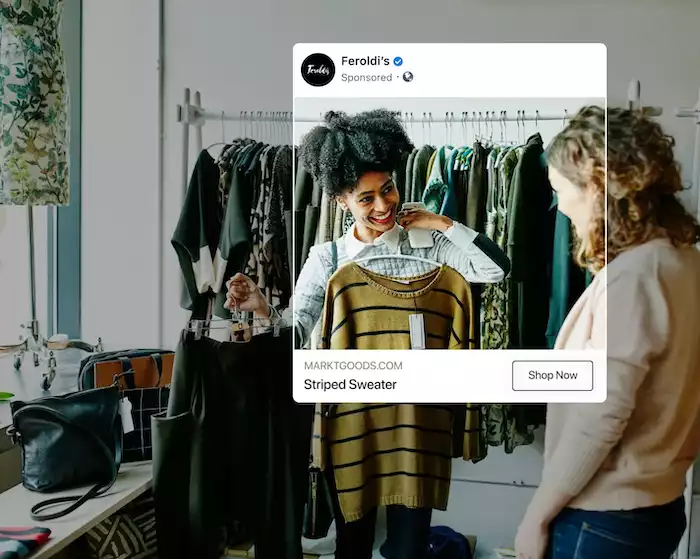
With your foundation ready, it’s time to set up your ads correctly and keep a close eye on how they perform.
Campaign Setup Checklist
Ensure your visuals have proper dimensions, minimal text overlay, and grab attention within seconds. Meta recommends keeping things concise and engaging.
Use direct language, highlight benefits, and include a clear CTA. According to best-practice guides, concise copy (e.g., 125 characters or less) can perform better.
Your ad should lead to a landing page that matches the offer, loads quickly (especially on mobile), and has a clear path to conversion. If the landing page fails, your ads suffer.
Real-Time Monitoring and Performance Metrics
Keep an eye on key numbers like cost per thousand impressions (CPM), cost per click (CPC), click-through rate (CTR), return on ad spend (ROAS), and total conversions. Use the Ads Manager dashboard to track performance, compare your ad sets, and spot any trends.
If you notice some ads costing too much but not performing well, pause or adjust them right away. Don’t let weak ads eat up your budget; a quick fix can save you a lot in the long run.
Optimization Strategies for Peak Performance

To keep your campaigns performing at their best, focus on continuous testing, smart budgeting, refined targeting, and fresh creative updates.
A/B Testing and Experimentation
Use A/B testing to compare variants: for example, two different visuals, or two different audiences. Testing helps you identify what resonates best.
Review statistically significant results and adopt winning variants. Avoid testing too many variables at once - keep one change per test for clarity.
Budget Optimization Techniques
CBO (Campaign Budget Optimization) allows Facebook to distribute budget across ad sets automatically, often improving efficiency. Best practice recommends simplifying the structure and using CBO.
When you identify top-performing ad sets, scale the budget gradually (about 20–30% at a time) to keep performance stable. For new campaigns, the learning phase usually lasts around 7–14 days, so you should monitor results daily but avoid making fast or heavy changes to your budget, targeting, or ad assets. Giving the system enough time to learn will help your ads optimize properly.
Audience Refinement and Expansion
Use retargeting to reconnect with users who visited your site, abandoned a cart, or engaged with your content. Retargeting often has higher conversion rates.
Once you have a quality customer base, create lookalike audiences to reach new users with similar behavior and increase your potential market. Lookalikes are a powerful scaling tool.
Ad Creative Refresh and Fatigue Management
When the same audience sees the same ad repeatedly, performance drops. Rising CPM, falling CTR, or increasing cost per conversion are red flags.
Rotate in new visuals and copy, adjust placement combinations, or change the offer. Keeping your ads fresh maintains engagement and performance.
Advanced Tactics for Scaling and Sustainability
Long-term success with Facebook ads depends on seamless integration, algorithm adaptability, and accurate performance insights.
Integrating with CRM and Marketing Automation
Link your ad system with a CRM or marketing automation tool to sync leads, trigger follow-ups, and move prospects through a nurturing sequence.
Use segmentation data from your CRM (past purchases, interests) to tailor ads to specific audiences at each stage of the funnel, increasing relevance and conversion.
Understanding Facebook’s Algorithm Updates
The platform’s algorithms and ad tools are constantly evolving. Keeping updated ensures you can adjust strategies in line with new features such as Advantage+ audience or Advantage+ creative.
When new features or formats come out, test them - but don’t abandon foundational best practices. Combine adaptive strategy with stable fundamentals.
Reporting and Attribution Beyond Ads Manager
Use advanced reporting - custom columns, export data, compare cohorts - and tie ad performance to business outcomes.
Recognize that conversions may not come directly from the ad click. Users might engage multiple times before converting. Broaden your attribution view to better understand your full funnel and investment impact.
Troubleshooting Common Facebook Ad Challenges
When managing Facebook ads, challenges are inevitable. Here’s how to handle performance drops, policy violations, and tracking inconsistencies effectively.
Low Performance and High Costs
If performance is low or costs high, check: is your audience too broad or too narrow? Is your creativity stale? Are you competing in a high-cost auction? Try tighter targeting, refresh creatives, test new placements, adjust bid strategies, or switch to CBO. Monitor results closely and iterate.
Ad Rejections and Policy Violations
Ads must comply with platform rules regarding content, claims, destination, and targeting. Review the policy thoroughly before launching. When an ad is rejected: review the feedback, edit the ad to comply, and resubmit. If needed, appeal via the account support interface.
Data Discrepancies and Tracking Issues
Ensure the pixel is installed correctly on all relevant pages and events are firing as expected. Misimplementation leads to incorrect data and poor decisions. Use tools like Meta’s Pixel Helper, check for conflicts (e.g., multiple pixels or other tracking scripts), and ensure browser restrictions or ad blockers aren’t blocking data.
Conclusion
Managing Facebook ads doesn’t have to be complicated. With the right setup, consistent monitoring, and timely tweaks, you can turn every dollar into real results. To make it even easier, you can access Botcake.io to learn more about the best tips in managing Facebook ads. Start working smarter, not harder - scale your Facebook ads with Botcake today!