






Business messaging is changing very fast. You cannot simply blast generic advertisements to everyone anymore. Platforms have stricter rules now. You need precision in your strategy. Message tags are the specific tool that provides this precision.
Introduction
Business communication used to rely heavily on email or SMS. Those channels are often slow. Sometimes, messages get lost in spam folders. Today, customers expect quick answers on their favorite apps. This shift created a challenge for platforms like WhatsApp. They needed to stop businesses from spamming users with unwanted ads. Message tags emerged as the solution to this problem.
What are Message Tags?
Think of a message tag as a category code. You attach it to your message template before you send it. It identifies the intent behind your text. It tells the system that you are sending a shipping update. It proves you are not sending a discount coupon. This distinction is vital for your account health. It allows non-promotional content to bypass the 24-hour restriction. You can reach your customer at any time if the tag matches the content.
Why Message Tags Matter for Businesses
Your delivery driver cannot wait for a 24-hour window to open. Your customer needs their flight update immediately. Message tags make these interactions possible. They ensure high deliverability for critical information. They also protect your business reputation. Customers appreciate timely service updates. They dislike unexpected ads or spam. Tags force you to respect that boundary. This builds trust. It keeps your phone number from being blocked by annoyed users.
Understanding the Core Concepts of Message Tags
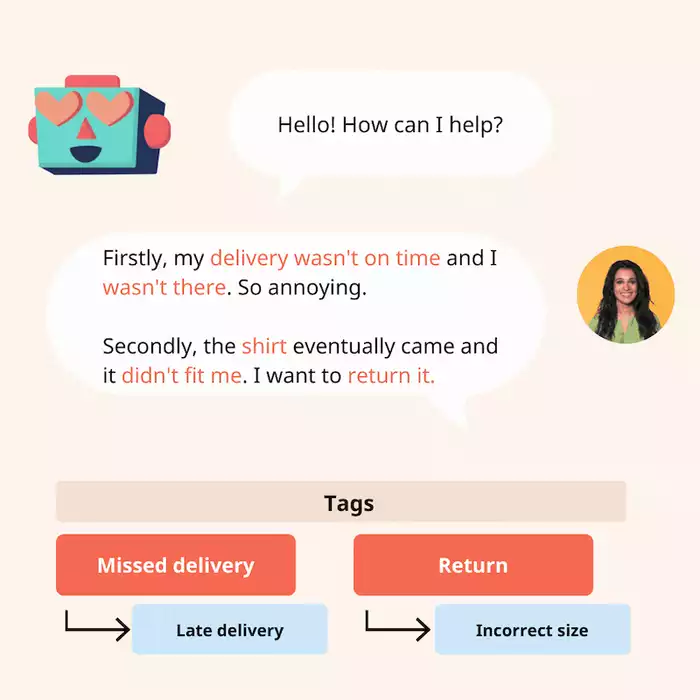
You must understand the rules before you start sending messages. The system is strict. One wrong move can get your number banned. The core concept you need to learn is relevance.
The Purpose of Message Tags
The main goal is to separate service from sales. Platforms want to protect the user experience above all else. Promotional messages generally fall under paid "Marketing" categories. Message tags are usually for utility.
They are for things the user requested or needs to know right now. A tag categorizes the conversation for the system. It signals urgency or importance. This categorization helps the platform filter out spam automatically.
Common Platforms Utilizing Message Tags
WhatsApp Business API is the primary user of this system. Their rules are the standard for the industry. They require you to pre-register templates with specific categories. Facebook Messenger also uses tags. They have simplified their system over the years. They now focus heavily on four main tags.
These include Confirmed Event Update and Post-Purchase Update. They also use Account Update and Human Agent tags. Other platforms are adopting similar models to manage their traffic.
Key Principles and Policies
Compliance is not optional in this space. You must stick to the definition of the tag. You cannot use an "Account Update" tag to tell a user about a flash sale. That is a serious policy violation. Consent is the other pillar of this system.
Just because you have a tag does not mean you can message anyone. The user must opt in first. They need to agree to receive updates from you. This applies to every platform. Botcake tools often include features to help you collect these opt-ins easily.
Types of Message Tags (WhatsApp Business API Focus)
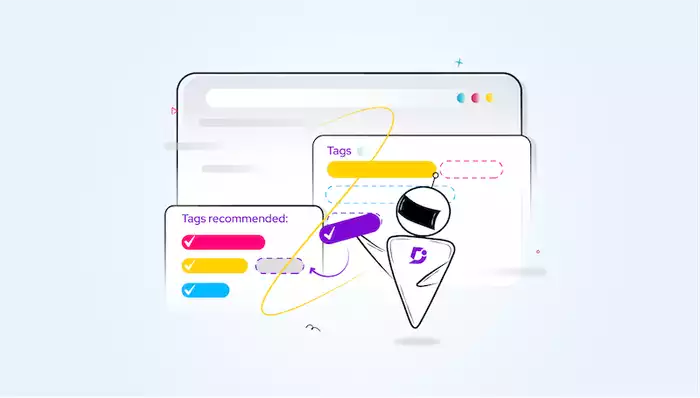
WhatsApp divides conversations into clear categories. You must select the right one when you create your template. This selection determines the cost and the rules for that message.
Transactional Updates
This is the most common use case for most businesses. A transaction occurred on your site. You need to update the user about it. The definition includes order confirmations and delivery notifications. It also covers digital receipts. For example, a customer buys a pair of shoes. You send a message saying your order has shipped. This is a classic utility message. The structure is simple. It includes variables for the order number and tracking link. It strictly provides information about an existing transaction.
Account Updates
Customers need to know when something changes in their profile. This tag handles those specific changes. Use cases include password reset requests and subscription alerts. It is also for membership status changes.
If a user changes their home address in your app, you confirm it here. The template is direct. You tell them their password was successfully updated. It keeps the account secure. It reassures the user that their action was registered correctly.
Alerts
Things break sometimes. Services go down unexpectedly. You need to tell people fast. This category is for urgent business updates. Use it for service outages or fraud alerts. If you detect suspicious activity on a credit card, you send an alert. You tell them a suspicious login attempt was detected. This tag is high priority. It is strictly for critical information that affects the user immediately.
Marketing and Utility Conversations
Marketing is technically a category now. It allows for promotions. However, it is distinct from the "free" or low-cost utility tags. Some platforms offer a small window for re-engagement. But you should treat standard message tags as non-promotional tools.
Mixing marketing into utility tags is the fastest way to lose your API access. Keep them separate. Use the Marketing category when you want to sell. Use Utility tags when you want to serve.
Step-by-Step Implementation
Start by choosing the correct tag for your goal. Look at your content carefully. Is it a receipt? Use utility. Is it a sale? Use marketing. Next, craft your template. Write the text and insert placeholders for variables. These variables are for things like names or numbers. Then, submit it for approval. This can take a few minutes or a few hours.
Once approved, you integrate it. Connect your CRM or website to your messaging tool. When a trigger happens on your site, the system automatically sends the tagged message.
Best Practices for Template Creation
Keep your language clear. Avoid flowery words. Get straight to the point. Use personalization variables effectively. "Hello {{1}}" is better than just "Hello." It feels more human. Ensure your call-to-action is relevant. If it is a shipping update, the button should say "Track Package." It should not say "Buy More." The button must match the intent of the tag.
Monitoring and Analytics
You must watch your performance data. Track your delivery rates closely. If messages are failing, something is wrong. Analyze your quality score. WhatsApp gives your phone number a quality rating. If users block you, your score drops. A low score limits how many messages you can send. Monitor this daily. Adjust your templates if you see engagement dropping.
Use Cases and Real-Life Examples
Theory is good. Real examples are better. Let’s look at how different industries apply these tags effectively using tools like Botcake.
E-commerce
Online stores live and die by logistics. Communication reduces anxiety for the buyer.Payment Confirmation: They confirm when they receive payment for an order. Ilaby, a kids' fashion brand, also uses these tools. They manage expectations. Parents want to know when clothes will arrive for a birthday. Automated tags provide this answer. It reduces support tickets. Customers do not call to ask, "Where is my stuff?" because you already told them.
Financial Services
Trust is the currency here. You need to be secure and fast. ZaloPay is a great example of this environment. They manage millions of transactions. OTP Codes: A user tries to log in. The system sends a code immediately. This is an authentication tag. Transaction Alerts: You pay for coffee. You get a message confirming the amount. Balance Updates: Your salary lands in your account. You get a notification. These messages must be instant. Delays cause panic. The API infrastructure ensures high-priority delivery for these tags.
Healthcare
Missed appointments cost money. Reminders save revenue. Brands like USAC Chiropractic rely on bookings. Reminders: They send a text saying you have an appointment tomorrow. This simple message reduces no-shows significantly.
Retail and Equipment
High-value items require maintenance. Kingsport sells gym equipment and massage chairs. They use tags for after-sales service. Warranty Checks: They can remind a user that their warranty is expiring. Maintenance: They can schedule a repair visit. Booking Confirmations: A technician confirms their arrival time. Travelers also rely on their phones. Message tags ensure they have the info right in their pocket. It creates a seamless experience.
The Future of Message Tags and Conversational Commerce
Messaging is not going away. It is becoming the primary way we do business. AI is the next frontier in messaging. It will handle the tagging for you. Imagine a system that reads a customer inquiry. It automatically selects the right tag for the reply. AI can analyze the sentiment.
It can decide if the message needs a human agent tag or a standard update. Automation tools are already doing this. With Botcake, message tagging becomes automatic and smart. The bot accurately categorizes messages, enabling instant responses without adding extra staff, boosting your operational efficiency immediately.