







The “chat now” button opens the door to real-time conversations between your brand and potential buyers. As instant communication becomes the norm, integrating this feature can reshape how you deliver support and build long-term trust.
Introduction
In this article, you’ll discover how a simple chat button can turn communication into sales for your business.
The Evolution of Customer Communication: From Phone Calls to Instant Messaging
In the past, customers largely relied on phone calls, emails, or contact forms for support and sales queries. These methods often involved significant waiting - hold times on phones, slow email reply rates, and multi-step form submissions.
Today’s customers expect near-instant responses. Real-time channels like live chat widgets, messaging apps, and social-media DMs offer faster, more convenient exchanges. For example, a recent industry study reveals that 72% of consumers expect an immediate response via chat.
What is a "Chat Now" Button?
A live chat widget is a small interface embedded on a website or app. Often clickable via a floating icon or button (the “chat now button”), it opens a chat window where visitors can initiate real-time messaging with support or sales teams.
The button exists so that a visitor doesn’t have to search for contact details, send an email, and wait. Instead, they click, type their question, and get a response - often within minutes or seconds. This immediacy improves engagement, reduces friction, and drives value.
Why Your Business Needs a "Chat Now" Button
We’ll explore how a “chat now” button can:
-
boost customer satisfaction and engagement
-
drive sales and conversions
-
generate high-quality leads
-
surface actionable customer insights
-
improve operational efficiency
Unlocking the Benefits: How a "Chat Now" Button Enhances Your Business
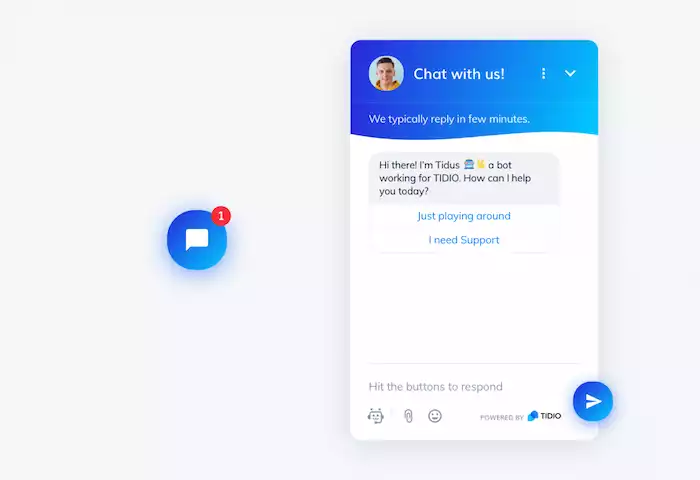
A “chat now” button with a good position really enhances satisfaction, drives sales, and gains valuable customer insights.
Boosting Customer Satisfaction and Engagement
With a “chat now” button, visitors no longer have to wait hours (or even days) for an email reply. They can get answers right when they need them. Studies show that quick responses are one of the biggest factors behind a positive customer experience, helping brands build trust and loyalty from the very first interaction.
Live chat allows your agents to directly engage - using the visitor’s name, referencing their browsing context, and adapting tone. That personalization builds trust.
If your visitor can’t easily contact you, they might exit your site or abandon the journey. The “chat now” button reduces the frustration of searching for help or dialing numbers.
Driving Sales and Conversions
Visitors often have questions about shipping, specifications, or comparisons right before buying. The “chat now” button gives them an immediate channel rather than leaving the page to search for answers.
When integrated with your sales/support team and perhaps automation, chat can guide visitors from browsing to purchase - for example, by offering suggestions, promotions, or clarifying differences.
If a visitor lingers at checkout but hesitates, a proactive chat invitation (triggered via “chat now” button logic) can engage and reduce cart abandonment. Research shows real-time engagement boosts conversion rates.
Generating High-Quality Leads
When a chat begins, you can collect email/phone and context while the visitor is engaged. That’s far better than a generic form.
During the chat, you can ask qualifying questions, determine budget/timeline, and thus segment leads more efficiently.
Gaining Valuable Customer Insights
Chat transcripts reveal what visitors ask most - maybe it’s about sizing, shipping, or payment. That insight lets you amend your website content.
You can close chats with short surveys via your chat tool, asking what could be improved. Which pages trigger chats most often? Which products seem confusing? This data informs UX, content, and marketing decisions.
Improving Operational Efficiency
Unlike phone support (one call at a time), chat agents often manage 3-5 chats concurrently. Efficiency translates into lower staffing costs. By routing inquiries to chat, you lighten burdens on slower channels and improve overall service throughput.
For FAQs or simple tasks, your chat system (via the 'Chat Now' button) can trigger bots to answer automatically, freeing human agents for higher-value work.
Beyond the Basics: Features and Functionality to Look For
To optimize performance, focus on essential features, advanced functions, and a branded chat experience that feels natural and engaging.
Essential Chat Features
The UI must support live back-and-forth. Secure, instant messaging that feels natural. You (and the customer) should be able to see past chats or download transcripts. This supports continuity.
Sometimes customers need to send screenshots, order numbers, or invoices. File sharing in chat is helpful. Your chat solution should let you see where visitors come from, what pages they viewed, and what triggered the chat. To optimize placement and content, Botcake has many chat solutions for your company, including an advanced AI agent.
Advanced Features for Enhanced Performance
Automated agents can answer initial queries, triage, or hand off to a human when needed. Before the chat begins, you can ask the visitor for name, email, and purpose - enabling routing and preparedness.
After each chat, ask for feedback while the experience is fresh to capture satisfaction and areas for improvement. Chat data must connect with your CRM, sales tools, email automation, and analytics. This avoids silos and creates unified customer profiles.
Rather than waiting for the visitor to click the “chat now” button, you can trigger an invitation based on behavior (time on page, exit intent) to offer help proactively.
Customization and Branding
The chat button and widget should use your brand colors, fonts, and tone to feel part of the experience rather than an afterthought.
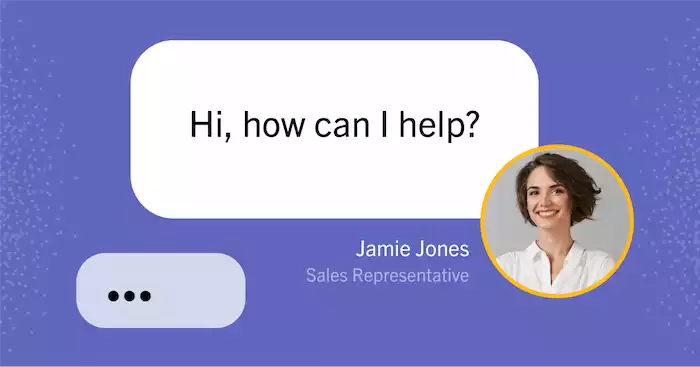
Don’t use generic “Hi, how can I help?” messages. Tailor the greeting based on the visitor’s context (e.g., “Hi! Saw you’re looking at our product page. Want help picking the right one?”).
On top of this, the Pancake Chat Plugin gives you even more control and flexibility. It lets you offer voice calls, real-time messaging, and quick replies - all in one place. You can also set up automated response flows with Botcake, helping your team answer common questions faster and more consistently. With these tools working together, your chat experience becomes more helpful, more efficient, and much more aligned with your brand’s personality.
Implementing Your "Chat Now" Button: Best Practices for Success
Now that you know what features matter, it’s time to implement your “chat now” button the right way.
Strategic Placement on Your Website
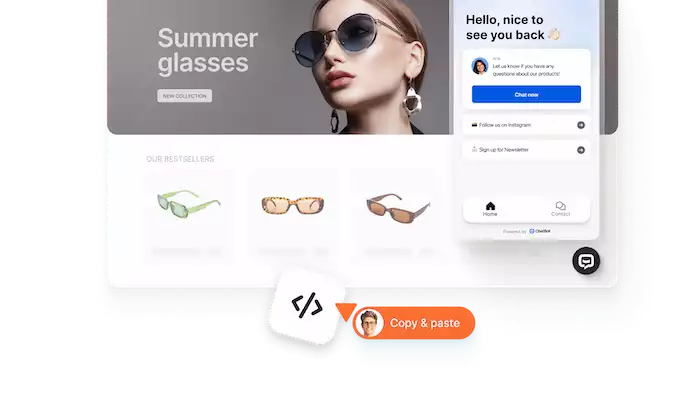
The “chat now” button should be visible - often, bottom-right floating is standard - but should not distract or cover key content. Studies highlight that users expect it to be there. While the homepage is obvious, placing the chat button on product pages, checkout pages, and support pages ensures accessibility at key decision moments.
Staffing and Training Your Chat Team
Set clear goals for how fast your team should reply - ideally within one minute - and check their performance regularly. We don’t like delays, even a short one, so do the customers.
Your agents should understand your products, common questions, and how to handle different situations. They also need to be trained to reply quickly, clearly, and politely. Using short scripts, saved replies, and clear steps helps keep every chat smooth and consistent.
Leveraging Chatbots for Efficiency
Use bots to handle repetitive queries (shipping status, return policy) so humans can focus on higher-value chats. Once the bot determines the visitor has a complex or high-value need, route to a live agent. This hybrid model scales effectively.
Analyzing Performance and Optimizing
Track KPIs such as first response time, chats handled per agent, satisfaction score, and conversion rate from chat. From chat transcripts and analytics, you can identify bottlenecks (e.g., slow response times), common questions (update FAQ), widget placement issues, or agent training gaps.
Common Pitfalls to Avoid
Even a well-designed “chat now” button can fail if certain mistakes go unchecked. Here’s what to watch out for.
Understaffing and Slow Response Times
If you decide to enable a “chat now” button but have too few agents or long waiting times, you may end up disappointing visitors who expect instant support. When responses are delayed, users quickly lose interest and move on, which can negatively impact both satisfaction and conversions.
Lack of Personalization
If your chat sounds too robotic or plain, you might lose the human connection that helps build trust. People can easily tell when they’re talking to a script instead of someone who truly understands them.
Simple touches like using their name, mentioning what they’re looking at, or matching your tone to theirs can make a big difference. Personalizing your messages shows that you care and helps the chat feel more friendly and natural.
Ignoring Chat Data and Feedback
If you don’t regularly review chat transcripts, feedback, or ratings, you might miss important insights. You can detect common problems by usually checking this data, hence making your responses better and keeping them improving over time.
Over-reliance on Automation
Although chatbots can handle a large volume of simple queries efficiently, depending solely on automation can weaken the customer experience. When complex or emotional issues arise, customers still value human understanding and empathy - something that bots alone cannot provide.
That’s why tools like Botcake Automation are designed to strike the right balance. Botcake offers 24/7 automated responses powered by AI, complete with smart triggers and ready-made customer care scenarios, so your visitors always receive timely and relevant support. Its natural language engine supports more than 50 languages, making conversations smooth and intuitive for a global audience. And when a chat needs human attention, Botcake lets you instantly transfer the conversation to a staff member with just one click, ensuring a seamless and personal experience from start to finish.
Conclusion
The “chat now” button isn’t just a handy website feature anymore - it’s a real game-changer for customer engagement and conversions. It lets you connect with visitors exactly when they need support, creating quick, personal, and effortless interactions that phone calls or emails can’t deliver.
Ready to turn your website into a space for real-time connection? Try Botcake.io, the all-in-one chat automation platform that makes managing conversations, integrating chatbots, and increasing sales feel simple.