



WhatsApp Business Security: Engage at Scale Without Compromising Trust
WhatsApp business API security is now a key concern for companies managing sensitive customer data. As digital communication grows, building compliance and trust is essential. This article looks at tools, protocols, and best practices to keep business messaging secure.
Introduction
Let’s explore the main tools that make WhatsApp Business effective for companies.
Why WhatsApp Business is more than just messaging
WhatsApp Business has evolved far beyond simple chat. It enables businesses to create verified profiles, automate customer engagement, and integrate workflows. For many companies, WhatsApp is no longer just a messaging app but a complete customer engagement hub.
The growing need for secure, scalable tools in customer communication
As customer volumes grow, so do security risks. Businesses cannot afford breaches or compliance violations when handling sensitive data. Secure, scalable tools like the WhatsApp Business API ensure that growth does not come at the cost of trust.
WhatsApp Business Tools Overview
WhatsApp offers two main tools for businesses: the WhatsApp Business App and the WhatsApp Business API. Below is a breakdown to help you decide which one is right for you.
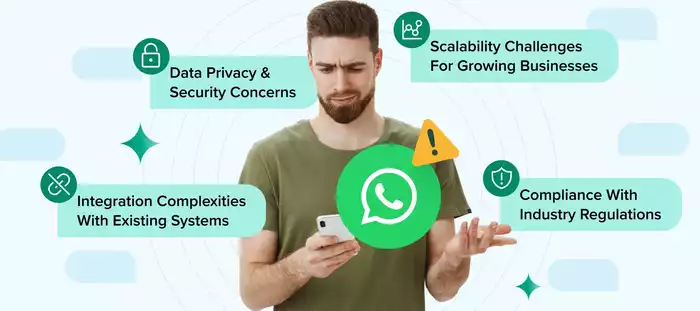
WhatsApp Business App vs. API - who should use which (SMB vs. enterprise)
WhatsApp offers two main tools: the Business App and the Business API.
-
The App is free, mobile-based, and best for SMBs managing chats on a single phone.
-
The API is for larger businesses. It connects with CRMs or helpdesks so teams can manage high chat volumes, use automation, and scale.
If you only get a few daily chats, use the app. For hundreds of messages or automation, choose the API.
App-level tools (profile setup, labels, quick replies, catalog, short links)
The Business App provides simple tools:
-
Profile: Add name, logo, hours, and location.
-
Labels: Tag chats (e.g., “new customer”).
-
Quick replies: Use short codes for pre-written responses.
-
Catalog: Showcase products or services.
-
Short links: Let customers chat without saving your number.
API-level tools (templates, multi-agent inbox, CRM integrations, chatbots, segmentation, analytics)
The API unlocks advanced features:
-
Templates: Pre-approved messages like reminders.
-
Multi-agent inbox: Teams manage chats together.
-
CRM integration: Sync conversations with databases.
-
Chatbots: Automate FAQs and order checks.
-
Segmentation: Target by behavior or location.
-
Analytics: Track delivery, reads, and replies.
Examples of popular providers: WATI, Interakt, Zoko, Twilio, Gupshup, Pancake
To get started with the API, you’ll need to partner with a Business Solution Provider (BSP). They simplify the process by offering dashboards, customer support, and helpful add-on tools. Some popular options are:
-
WATI: Great for small businesses moving up from the app.
-
Interakt: Ideal for e-commerce sellers, especially with Shopify.
-
Zoko: Built for driving sales and recovering abandoned carts.
-
Twilio: A global platform with strong developer tools.
-
Gupshup: Offers rich messaging and bot features.
-
Pancake: A top 3rd-party platform that integrates fully with WhatsApp API, offering CRM, automation, and appointment booking in one place.
WhatsApp Business API Security Overview
With more messages, more team members, and more data involved, you must make sure your tools are safe, private, and compliant with regulations.
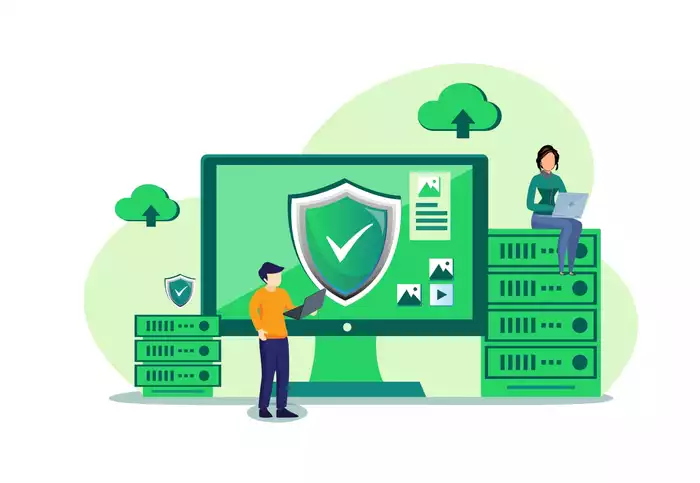
Importance of security for API-based communication
With APIs, messages don’t just move from phone to phone. They pass through servers, dashboards, and apps - creating more points of exposure. Since customers may share phone numbers, addresses, or payment details, weak security risks, legal penalties, or even WhatsApp access. Security must be a top priority.
Difference between App-level and API-level data flows
The WhatsApp Business App is simple, as messages stay on one phone and are end-to-end encrypted. With the API, messages travel through WhatsApp servers, your BSP, and your systems (e.g., CRM, chatbots). Each step requires added rules, encryption, and monitoring to keep data safe.
WhatsApp & Meta’s built-in security protocols
Meta enforces strict safeguards for API users. These measures help ensure that only legitimate, approved businesses use the platform and that users are protected from spam or scams:
-
End-to-end encryption: Only the sender and receiver can read messages.
-
Template approvals: Prevents spam and abuse.
-
Business verification: Confirms identity before messaging.
-
Rate limits: Controls send volume for responsible use.
Key WhatsApp Business API Security Features
The WhatsApp API includes several built-in security features to protect messages, data, and business operations.

End-to-end encryption for all messages
By default, WhatsApp Business API messages are end-to-end encrypted, so neither Meta nor BSPs can read them - unless the business opts into Meta-hosted services or AI features, which are explicitly disclosed. Customer data like names, orders, or account info stays private by default.
Verified Business profiles to reduce impersonation
A verified badge confirms your business identity and builds trust. It protects against impersonation scams and increases open rates, as customers feel safer engaging.
Facebook Business Manager verification
API access requires Business Manager verification, where Meta checks your company documents and domain. Once verified, you can send templates, use multiple numbers, and unlock advanced features - boosting both trust and credibility.
Access control (role-based permissions for team members)
Not all team members need full access. The API allows role-based permissions so agents can reply, supervisors can assign, and admins can manage templates - keeping operations secure.
Secure data exchange via webhooks and HTTPS
The API uses HTTPS and webhooks to deliver updates safely. HTTPS encryption ensures data isn’t exposed, while valid SSL certificates keep connections secure between WhatsApp, your BSP, and your system.
Best Practices for WhatsApp API Security
Follow these practices to keep WhatsApp communications secure.
Use official Business Solution Providers (BSPs)
Always work with an official BSP like Botcake, Pancake, or WATI. Meta vets these providers to ensure encryption, compliance, and support. Unofficial tools may seem cheaper, but they risk data leaks and account bans.
Always use HTTPS for APIs and webhook URLs
Use HTTPS for all WhatsApp API and webhook connections. It encrypts sensitive data like names, phone numbers, and orders during transfer. Without it, information can be exposed.
Restrict admin and API access using 2FA and IP whitelisting
Limit admin access to only those who need it. Add two-factor authentication (2FA) and IP whitelisting to prevent hackers or accidental misuse by team members.
Monitor logs for suspicious message behavior or access patterns
Check message and login logs regularly. Watch for unusual activity like mass messages at odd hours, failed logins, or strange locations. Early detection prevents bigger issues.
Don’t store personal data unless encrypted and necessary
Only keep essential customer data, and always encrypt it. For example, store a transaction ID instead of full payment details. The less data stored, the lower the risk.
Compliance and Data Privacy
Proper compliance ensures customer data stays protected and your business avoids penalties.
GDPR and data handling responsibilities
If you serve customers in Europe, you must follow GDPR: be clear about what data you collect, why, and how long you keep it. Customers can also request deletion. Even outside Europe, adopting GDPR builds trust in your privacy practices.
Meta’s policies on message templates and opt-ins
Meta requires customer opt-ins before you send API messages. Proactive messages like reminders or promotions must use approved templates. These rules protect users from spam, and breaking them could suspend your account.
How to safely collect and manage user data via WhatsApp
Collect data securely with verified opt-ins, like checkboxes or click-to-chat ads. Store data in encrypted CRMs, and avoid asking for highly sensitive details (like passwords) over chat.
Managing opt-outs and user preferences securely
Always give customers a clear way to opt out, such as replying “STOP” or using a chatbot menu option. Regularly update your lists to respect preferences and protect your brand reputation.
Use Cases Requiring High Security
Certain industries need extra WhatsApp security to protect sensitive data and maintain trust.
Fintech - OTPs, transaction alerts, and sensitive data

Banks and fintech companies rely on WhatsApp to send OTPs, transaction alerts, and account updates. Because these messages carry sensitive data, end-to-end encryption and verified accounts are key to keeping customers safe and building trust.
Government - public communication and alerts
Governments use WhatsApp for emergency alerts, health updates, and announcements. Verified business profiles and encryption protect against misinformation, ensuring citizens trust the messages they receive.
Healthcare - appointment reminders and confidential reports
Doctors and clinics use WhatsApp to send appointment reminders and test results, making privacy a top priority. Botcake automates scheduling and management directly in WhatsApp, securing patient data while reducing no-shows.
Enterprise support - high-volume, SLA-bound interactions
Enterprises handle thousands of support requests on WhatsApp under strict SLAs. Role-based access, logging, and encryption keep interactions secure while maintaining compliance and service quality.
Common Mistakes to Avoid
Avoid these pitfalls to keep your WhatsApp communications safe and compliant.
Using unofficial or grey-market WhatsApp tools
Unofficial tools may bypass Meta’s rules, risking account bans and weak encryption that exposes customer data. Always use official BSPs for safety.
Sending messages without opt-ins
Unsolicited messages can hurt your brand, lead to blocks, or get your account suspended. Always get clear consent before messaging customers.
Ignoring rate limits and template approvals
Meta sets limits to protect users. Sending too fast or using unapproved templates risks suspension. Stick to approved templates and scale messaging gradually.
Storing sensitive data unencrypted
Keeping customer data unencrypted puts it at risk if breached. Always encrypt sensitive information and avoid storing unnecessary details.
Conclusion & Future Outlook
When set up with the right tools and safeguards, the WhatsApp Business API helps companies connect with customers at scale while keeping data private and compliant. Verified profiles, encryption, and smart monitoring ensure messaging stays secure and reliable.