


WhatsApp verified isn’t just merely a badge; it’s a trust signal that defines how customers can see your business online. Explore how verification strengthens communication, builds brand reputation, and drives engagement across every customer touchpoint.
Introduction
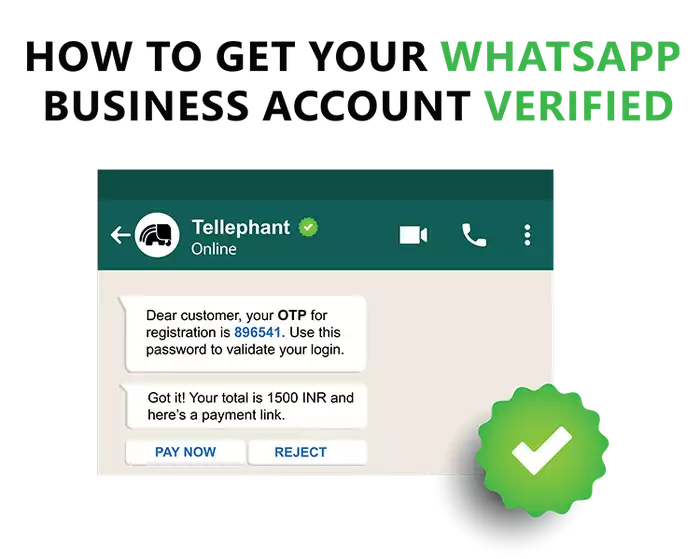
Here’s how WhatsApp verification enhances trust and brand reputation.
The Importance of Trust in Digital Communication
Trust is everything in today's digital age. People are bombarded with messages every day, a lot of them from numbers they've never seen before, so it's hard for genuine businesses to make themselves heard. WhatsApp is one of the easiest and fastest ways to connect with people, but with so many businesses using it as earning customer trust has never been more important. That's where WhatsApp verification comes in handy, demonstrating to your audience that your company is genuine, trustworthy, and worth communicating with.
What is WhatsApp Verified?
A WhatsApp Verified account, also called an Official Business Account (OBA), is a status granted by Meta to confirm that a business is authentic. Verified accounts show the company name along with a blue badge in the chat header. This badge signals to customers that your business has passed Meta’s verification checks. For small businesses, it builds immediate confidence; for larger brands, it reinforces professionalism and credibility.
Why Verification Matters for Businesses
Verification does more than display a badge - it helps your business earn trust, encourages customers to open your messages, and sets you apart from competitors. It reassures users they’re interacting with the real company rather than an impersonator, which strengthens credibility, professionalism, and long-term relationships with customers.
Understanding the Verification Process
Before getting started, it helps to know who can qualify for verification, how the process works, and what common mistakes to avoid so you can increase your chances of approval.
Eligibility Criteria for WhatsApp Business Verification
Not every business automatically qualifies for verification. Meta looks for legally registered companies with a consistent and verifiable identity. You’ll need official documents like a business license or tax registration to prove your legitimacy. Having a functional website, a solid online presence, and even media mentions or industry recognition can make your application stronger. These elements show that your brand is credible and established.
Step-by-Step Guide to Applying for Verification
To get verified, first log in to Meta Business Manager and connect your WhatsApp Business or API account to your verified Facebook Business profile. Then, send your verification request with official documents like your business license, registration paper, or a recent utility bill - all of them should match your business details. Meta usually reviews your application within a few days or sometimes a few weeks. Once it’s approved, the verified badge will appear next to your business name in chats, showing customers that your account is real and trustworthy.
Common Reasons for Rejection and How to Avoid Them
Many applications are denied because of incomplete paperwork, inconsistent data, or a poor online business reputation. Avoid this by double-checking, then triple-checking that your business information is accurate and consistent across the board - from your website to social sites. Build credibility with a professional website, Google Business listing, and verified business citations. These small efforts not only improve your approval prospects but also help develop your brand's overall trust and awareness.
Benefits of a WhatsApp Verified Business Account
With verification, your business gains trust, advanced tools, and higher engagement.
Enhanced Customer Trust and Security
A verified WhatsApp badge instantly gains trust. Customers know they're talking to an authentic brand, not scamming or impersonating anyone. In sectors like banking, travel, or commerce, this trust encourages users to share information, ask questions, and shop safely.
Improved Brand Credibility and Professionalism
Your newly gained badge shows that your business is real and meets Meta’s standards for quality. It helps your brand look more professional and trustworthy, making it stand out from others that aren’t verified. When customers see the badge, they feel more confident engaging with your messages, which builds stronger trust and lasting brand connections.
Access to Advanced WhatsApp Business Features (API Users)
Verification also lets you get access to the WhatsApp Business API with better functions. You automate conversations, broadcast messages interactively, and handle large volumes with ease - simplifying marketing, support, and customer experience.
Potential for Higher Engagement and Conversion Rates
Trust is followed by action. Verified businesses enjoy more positive message open rates, engagement, and conversion performance. Customers feel free to click on links, follow purchasing instructions, or respond with feedback when they interact with a verified business.
This trust then leads to greater loyalty and repeat business. In the long run, the verification badge becomes a part of the consumer experience - establishing credibility, improving communication effectiveness, and improving business growth in general.
Maximizing Your Verified WhatsApp Presence
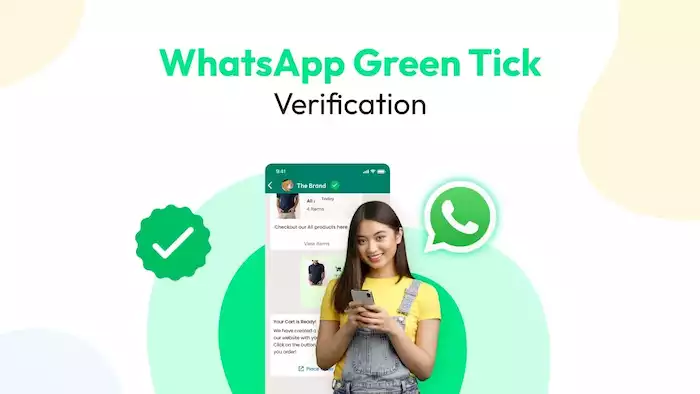
To get the most from a WhatsApp verified account, businesses should follow best practices, use it in marketing, and keep their verification active.
Best Practices for Verified Businesses
Once your account is verified, keep your brand image professional and consistent. Always use your official logo, business name, and tone of voice so customers can easily recognize and trust you. Consistency builds your brand and prevents confusion.
Respond quickly and clearly as customers expect fast replies on WhatsApp. Make sure your team answers messages politely and without delay. Quick responses show that you care and encourage customers to return.
Use WhatsApp Business tools to make chats easier. Display your products through the catalog, set up quick replies for common questions, and use automated greetings for new customers. These small touches make every conversation smoother and more enjoyable.
Integrating Verified WhatsApp into Your Marketing Strategy
Your verified badge can also play a role in marketing. Highlight it on your website, social media, and emails so customers know they’re contacting your official account.
You can go beyond support by using WhatsApp as a sales and marketing channel. Share product updates, special offers, and personalized messages through broadcast lists or automated flows (via the Business API). Relevant and trustworthy messages build engagement and drive conversions.
Maintaining Your Verified Status
Getting verified is just the first step - you need to maintain it as well. Follow the policies and community guidelines of WhatsApp to avoid warnings or losing your verification. Even with the green badge, businesses must still comply with Meta’s rules to prevent account suspension or removal of verification.
Update your business information, like contact details, site, and address, so customers continue to find accurate information. Compliance and being updated ensure your account continues to build trust and offer long-term rewards.
Case Studies and Real-World Examples
Let’s explore real-world examples showing how both large enterprises and SMBs use WhatsApp verified accounts to build trust, improve engagement, and drive business growth.
How Large Enterprises Leverage WhatsApp Verified
Large corporations in banking, aviation, and e-commerce are using WhatsApp verified accounts to make customer communication more convenient and dependable.
Banks, for example, send transaction alerts, fraud warnings, and support messages on authenticated WhatsApp accounts. The badge assures customers that such messages are original and safe. Air carriers send flight details, boarding passes, and confirmation of bookings directly to passengers via authenticated accounts, minimizing the need for long phone calls or emails.
E-commerce companies utilize verified WhatsApp accounts to control orders, delivery updates, and product recommendations. The green check confirms to customers that the messages are from the original brand, and this increases open rates and results in sales.
Success Stories of SMBs with Verified Accounts
Small and medium-sized businesses (SMBs) can gain a lot from getting verified. Local shops, restaurants, and service providers often see more customer activity once they have the badge, as people feel safer sharing their information and making payments through chat.
For instance, a verified restaurant can accept bookings, confirm orders, and send menus on WhatsApp, and a verified salon can book appointments and send reminders automatically. Simple, professional messages build trust and ease customers' lives. The verified badge helps small businesses appear as credible as larger brands, allowing them to compete, grow, and build loyal customer relationships.
Future of WhatsApp Verification and Business Communication
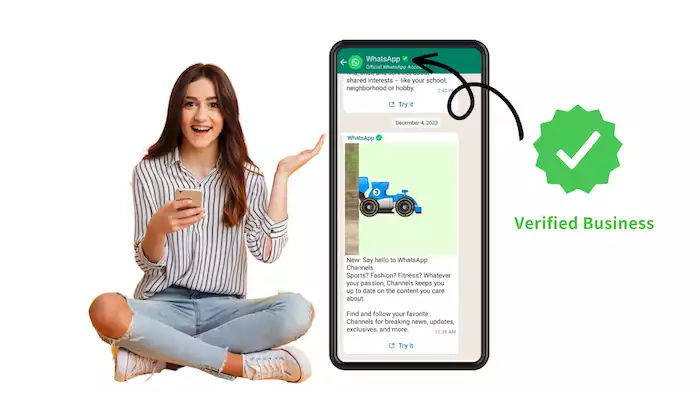
Looking ahead, WhatsApp verification will shape how businesses use evolving features and maintain trust to enhance customer engagement and credibility.
Evolving Features and Opportunities
The WhatsApp verified platform is constantly evolving with new tools that make business communication easier and more effective. Meta is also expanding the WhatsApp Business API, adding features like payment options, interactive message templates, and smarter automation to help businesses connect with customers more smoothly.
Future developments may allow for deeper integration with CRM systems and marketing automation software, which will allow companies to deliver data-driven, tailored customer experiences. With advanced AI-driven chatbots and analytics, verified WhatsApp accounts will continue to play a pivotal role in customer engagement and digital marketing.
The Role of Trust in the Digital Business Landscape
In a world where there are scams and deceitful accounts aimed at clients, trust will be the pivot of online interaction. The verification process ensures that businesses interact transparently, and clients can also do so without worrying about misrepresentation or fraud.
The WhatsApp verification badge will continue to represent trust and authenticity. As digital business keeps growing, brands that focus on staying verified and compliant won’t just protect their reputation; they’ll also build stronger, longer-lasting relationships with their customers.
Conclusion
The WhatsApp verified badge is more than a checkmark - it’s a trust signal, brand differentiator, and key to advanced messaging features. Verification requires proper documentation, a strong online presence, and sometimes media recognition, but the reward is worth it. If your business connects with customers on WhatsApp, prepare your documents, strengthen your brand, and apply through Meta’s Business Manager. The boost in trust and credibility makes it a smart move - act now.